Printable Party Invites: The Smart Host's Secret to Stunning Invitations
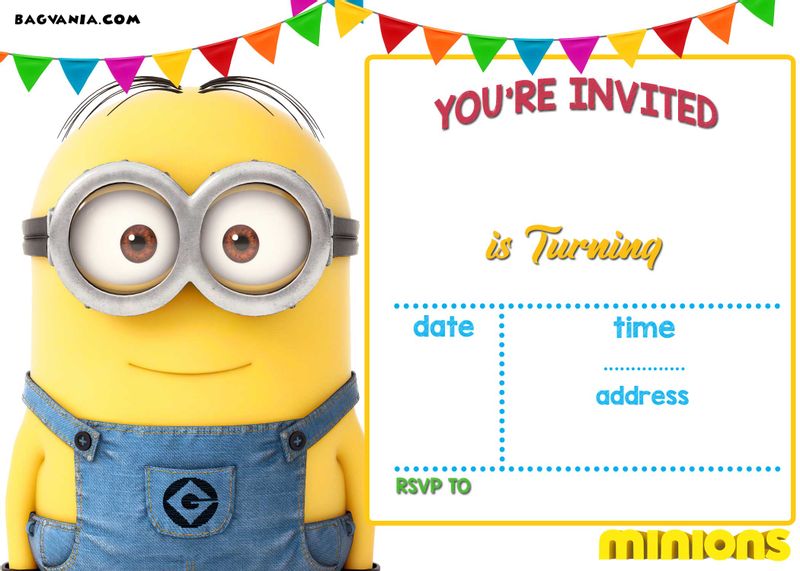
Gone are the days of limited, expensive invitation options. In the world of modern party planning, printable party invites have become the go-to solution for savvy hosts. They offer a perfect blend of creativity, convenience, and cost-effectiveness, allowing you to set the tone for your event with a personal touch.
Whether you're planning a birthday bash, an elegant dinner party, or a fun baby shower, this guide will walk you through everything you need to know about creating, designing, and printing beautiful printable party invites that will impress your guests from the moment they receive them.
Why Choose Printable Party Invites?
Before we dive into the "how," let's look at the "why." What makes printable party invites so popular?
● Total Creative Control: You are the designer. From the color scheme to the fonts, you decide every detail to ensure the invite perfectly matches your party's theme.
● Budget-Friendly: With numerous free templates and tools available, you can create a professional-looking invite for the cost of paper and ink, saving a significant amount compared to custom-printed services.
● Speed and Convenience: Need an invite last minute? Printable party invites can be designed and printed in under an hour. No waiting for shipping or dealing with minimum orders.
● Eco-Conscious Option: You print only what you need, reducing waste. You can also choose recycled paper to make your event more sustainable.
Step 1: Gather Your Party Details (The Blueprint)
A beautiful design is useless without clear information. Before you open a design tool, have all your details ready. This is the foundation of creating an effective invite.
Your Essential Information Checklist:
● Event Type: Birthday, Anniversary, Graduation, etc.
● Host Name(s): Who is throwing the party?
● Date and Time: Be specific (e.g., Saturday, November 18th at 7:00 PM).
● Location: Full address. For a house party, consider just using your city.
● RSVP Details: Include a deadline and a method (Text, Email, etc.).
● Dress Code: Is it casual, cocktail, or themed?
● Special Instructions: "Please bring a swimsuit," "No gifts, please," or "Dessert potluck!"
Step 2: Design Your Invite Like a Pro
This is where the magic happens. You don't need to be a graphic designer to create stunning printable party invites.
Finding the Right Free Tool
Several user-friendly platforms make design simple:
● Canva: The leader in free design. It offers thousands of professionally designed templates for every occasion. Its drag-and-drop interface is intuitive for everyone.
● Adobe Express: A powerful alternative with fantastic typography tools and a sleek, modern template library.
● Microsoft Word or Google Docs: For a more straightforward, text-focused approach, these familiar tools can be used to create clean and classic invites.
Choosing a Template and Customizing It
1. Select a Theme: Browse templates filtered by your event type (e.g., "40th birthday," "summer garden party").
2. Customize the Text: Replace the placeholder text with your party details. Pay attention to the font hierarchy—the most important info should be the most prominent.
3. Play with Colors: Most templates allow you to change the color scheme with one click. Match it to your party decor.
4. Add Personal Photos: Make the invite uniquely yours by incorporating a great photo of the guest of honor or a thematic image.
Pro Tip: Less is often more. Avoid cluttering the design. Ensure there's enough "white space" (empty space) to make the text easy to read.
Step 3: The Crucial Pre-Print Checklist
A single typo can undermine a beautiful design. Always run through this checklist before you hit "print."
● Spelling & Grammar: Read it backwards to catch errors you might otherwise skim over.
● Accuracy: Double-check the date, time, and address. Is the year correct?
● Clarity: Is the RSVP method crystal clear? Can someone easily find all the key details?
● Contact Info: Have you included a phone number or email for the RSVP?
● Print Preview: Use the "Print Preview" function to ensure everything fits on the page correctly.
Step 4: Printing and Paper Choices
The final step is bringing your digital creation into the physical world. The paper you choose makes a huge difference.
Home Printing vs. Store Printing
Aspect | Home Printing | Professional/Store Printing |
Cost | Lower for small quantities. | Competitive for larger batches. |
Convenience | Print immediately. | Requires a trip to the store or waiting for shipping. |
Paper Options | Limited to what you have on hand. | Wide variety of cardstock, finishes, and sizes. |
Quality | Good to very good, depending on your printer. | Consistently high-quality, professional results. |
Choosing the Right Paper
For printable party invites that feel substantial and high-quality, skip standard printer paper.
● Cardstock is King: This is a thick, durable paper that feels professional.
○ Weight: Look for 65 lb to 110 lb cardstock. 80 lb is a perfect sweet spot—sturdy but still easy for most home printers to handle.
○ Finish:
■ Matte: Elegant, non-reflective, and easy to write on.
■ Glossy: Vibrant colors and a shiny, modern look.
■ Textured: Adds a premium, tactile feel (e.g., linen, felt).
Printing Tip: Always do a test print on a regular sheet of paper first to check for alignment and color. When you're ready, load your cardstock into your printer's manual feed tray for the best results.
Creative Ideas to Elevate Your Printable Party Invites
Go beyond a simple piece of paper with these creative touches:
● Unusual Shapes: Use decorative scissors or a craft cutter to create invites in the shape of a star, a leaf, or a cupcake.
● Add a Touch of Glitter: Use glue pens and loose glitter to add sparkle to specific design elements (let it dry completely before handling!).
● Themed Envelopes: Continue the theme by decorating the envelopes with stamps, stickers, or a custom wax seal.
● Create a Suite: Design matching printables like directions cards, RSVP cards, or party favor tags for a completely cohesive look.
Frequently Asked Questions (FAQs)
Q1: Are the free templates on sites like Canva really free to use for my party?
Yes! The free templates, graphics, and fonts provided within these platforms are licensed for personal use, which includes your printable party invites. You cannot resell the template as your own, but using it for your event is perfectly allowed.
Q2: What's the best file format to save my invite for printing?
Always choose PDF (Print). This format locks in your layout, fonts, and image quality, ensuring it looks the same no matter whose computer it's opened on. Avoid JPEGs for printing, as they can become pixelated.
Q3: My home printer is leaving streaks on my cardstock. What can I do?
This is often a sign that the ink is not drying fast enough on the thick, coated paper. Try changing your printer settings to a "High Quality" or "Photo Paper" setting, which uses less ink. You can also try a different finish of cardstock (e.g., switch from glossy to matte).
Q4: How far in advance should I send out printable party invites?
A good rule of thumb is 3-4 weeks for most parties. For larger events like weddings or holidays, 6-8 weeks is more appropriate. This gives guests plenty of time to RSVP and clear their schedules.
Q5: Can I create a digital version from my printable design to share on social media?
Absolutely! This is a huge advantage. Simply save a copy of your design as a JPEG or PNG, and you have a perfect digital version to text, email, or post on social media to reach guests who prefer digital communication.
Conclusion: Your Party, Your Masterpiece
Printable party invites are more than just a practical way to share event details; they are the first glimpse your guests get into the celebration you're planning. They build anticipation and show the care and thought you're putting into your event.